
Summary
This report provides an account-level view of coverage performance against target. It groups accounts by Coverage Target, showing the required call frequency, scheduled coverage dates as columns, actual visits completed, target visits, and overall coverage percentage.
This report enables users to compare target coverage with actual activity, identify accounts below target, and assess coverage performance overall.
Report Location
Report Location
Report Category: Coverage
Report Sub Category: Summary
Report: Coverage \ Detail \ Coverage By Account Detail
Report Sample

Filters
Coverage Target
This returns all “Coverage Targets” available in Administrator in “Coverage”
Account Group 1
This filter list will return the "Group Reports On" Account Group for the account in the ‘Account Name’ column. The " Group Reports On" Account Group is defined in Administrator within "Reporting Config".
Account Group 2
This filter list will return the "Extra Group 1" Account Group for the account in the ‘Account Name’ column. The "Extra Group 1" Account Group is defined in Administrator within "Reporting Config".
Account Group 3
This filter list will return the "Extra Group 2" Account Group for the account in the ‘Account Name’ column. The "Extra Group 2" Account Group is defined in Administrator within "Reporting Config".
Account Group 4
This filter list will return the "Extra Group 3" Account Group for the account in the ‘Account Name’ column. The "Extra Group 3" Account Group is defined in Administrator within "Reporting Config".
Overdue
Options: <All>, Yes, No
This will filter the list of accounts to return only customers where the account was due for a call in the last X weeks however it has not yet been done. For example:
Current Date: March 3, 2026
Coverage Target for a customer: 1 call every 4 weeks (1 call every 28 days)
Last Call on the customer: January 20, 2026 (days difference = 42 days)
Overdue = Y
Current Date: March 3, 2026
Coverage Target for a customer: 1 call every 4 weeks (1 call every 28 days)
Last Call on the customer: February 10, 2026 (days difference = 21 days)
Overdue = N
Sort Order
- Account Name (A-Z)
Field Definitions
Report Sections (e.g. “1 Call Every 4 Weeks”)
This section groups all customers by Coverage Target’s Target Definition. For example:
Filter: Coverage Target = 2026 Coverage Target
This means, all Target Definitions Coverage Targets would appear as a new section:
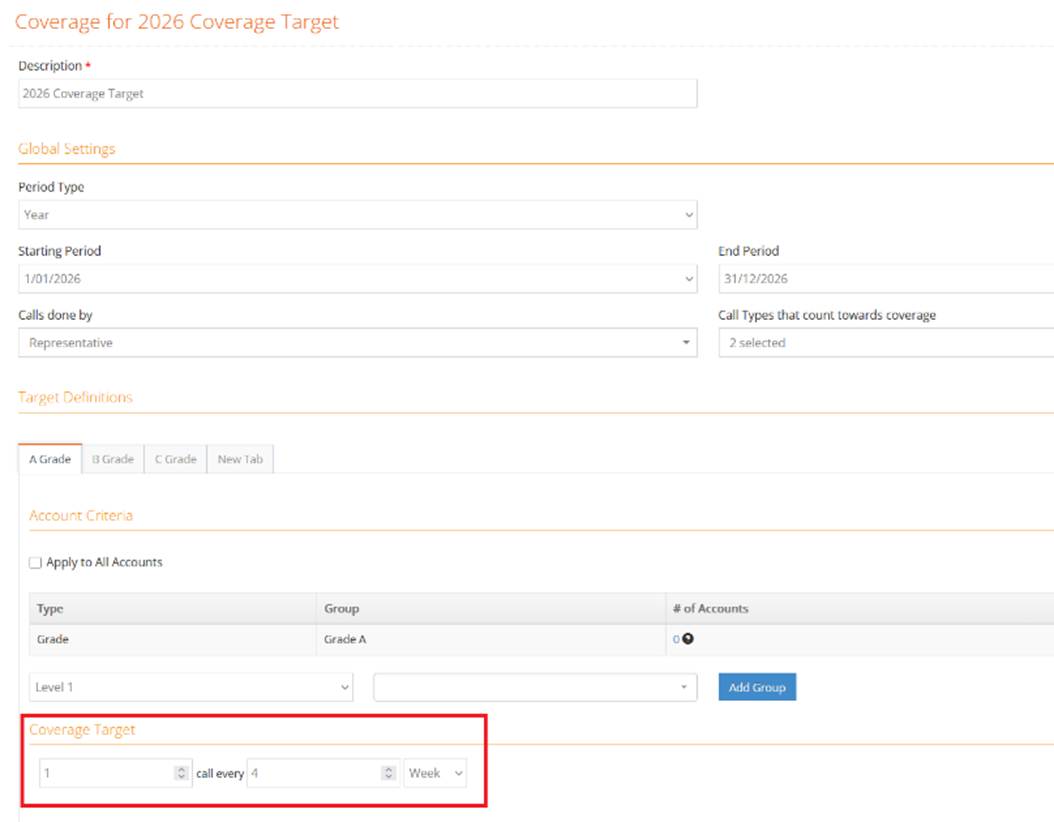
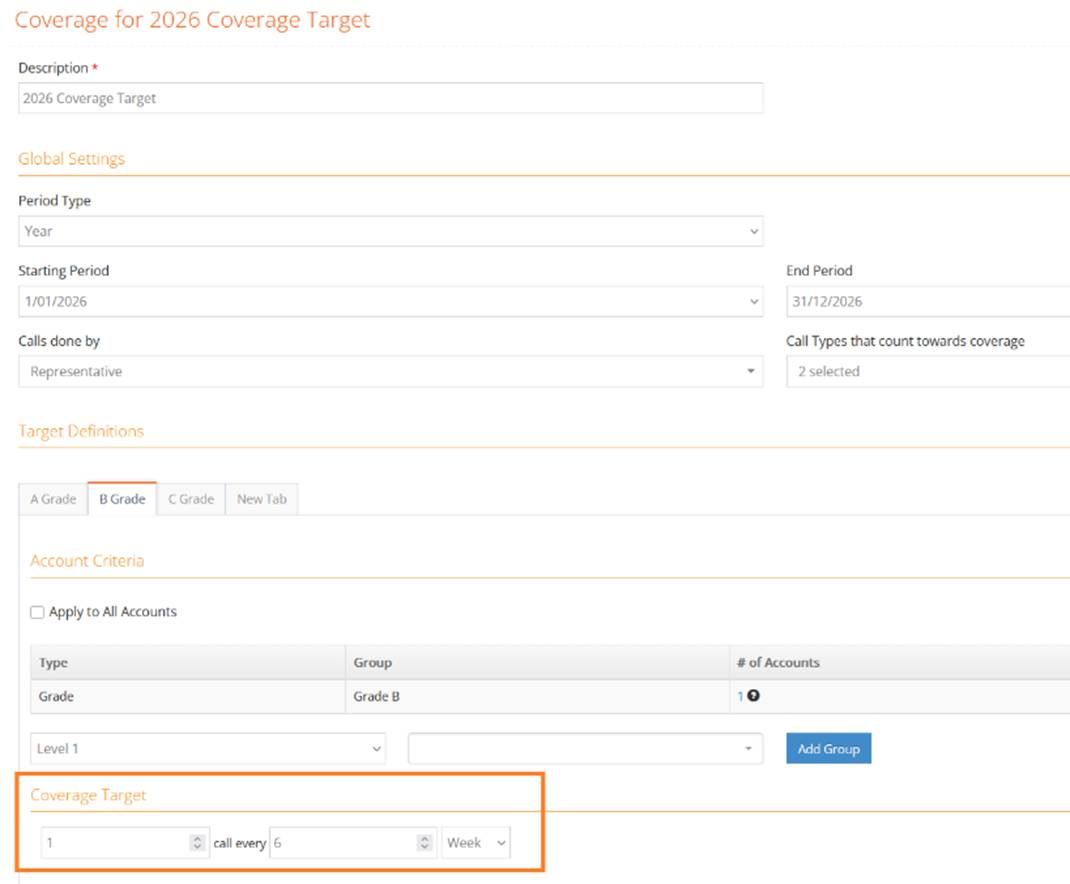
Account
This column returns the “Display Name” of any Account
Suburb
This column returns the Suburb field from the Primary Address of the Account
Account Group 1 (Group Reports On)
This column returns the "Group Reports On" Account Group for the account in the ‘Account Name’ column. The "Group Reports On" Account Group is defined in Administrator within "Reporting Config". For example, if the "Group Reports On" Account Group has been set to "Grade" then this column will return the Grade the account is in.
If this Account Group is a structure, the lowest level of the structure is returned.
Account Group 2 (Extra Group 1)
This column will return the "Extra Group 1" Account Group for the account in the ‘Account Name’ column. The "Extra Group 1" Group is defined in Administrator within "Reporting Config". For example, if the "Extra Group 1" Account Group has been set to "Banner" then this column will return the Banner the account is in.
Account Group 3 (Extra Group 2)
This column will return the "Extra Group 2" Account Group for the account in the ‘Account Name’ column. The "Extra Group 2" Group is defined in Administrator within "Reporting Config". For example, if the "Extra Group 2" Account Group has been set to "Territory" then this column will return the Territory the account is in.
Account Group 4 (Extra Group 3)
This column will return the "Extra Group 3" Account Group for the account in the ‘Account Name’ column. The "Extra Group 3" Group is defined in Administrator within "Reporting Config". For example, if the "Extra Group 3" Account Group has been set to "Frequency" then this column will return the Territory the account is in.
Coverage Target (Date Columns)
This returns the sections of time within the Report Section. For example:
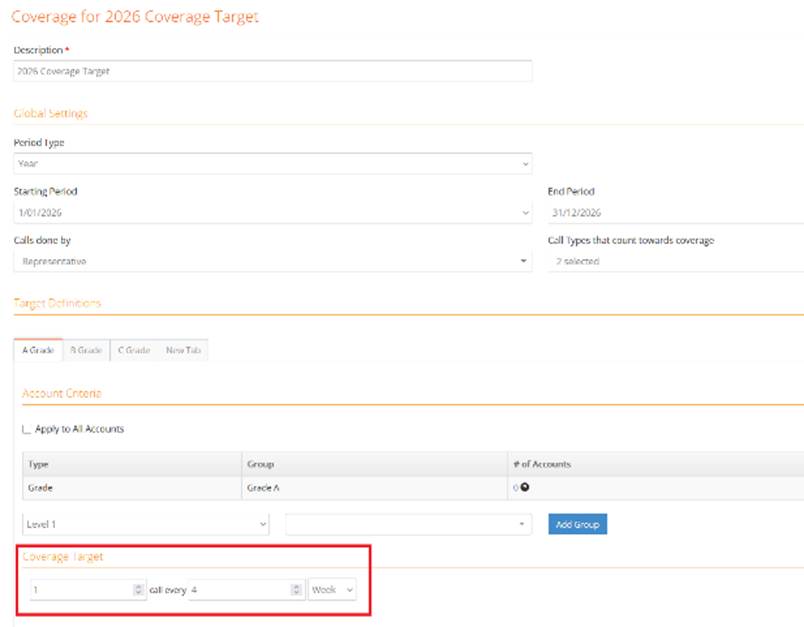
Would return:

Where each column represents a 4 week period (based on the Coverage Target section within the selected Coverage Definition)
Within each column, a “Y” is returned if the account has had a Completed Call based on the “Calls done by” and “Call Types that count towards coverage” fields within the Target Definition. For example:
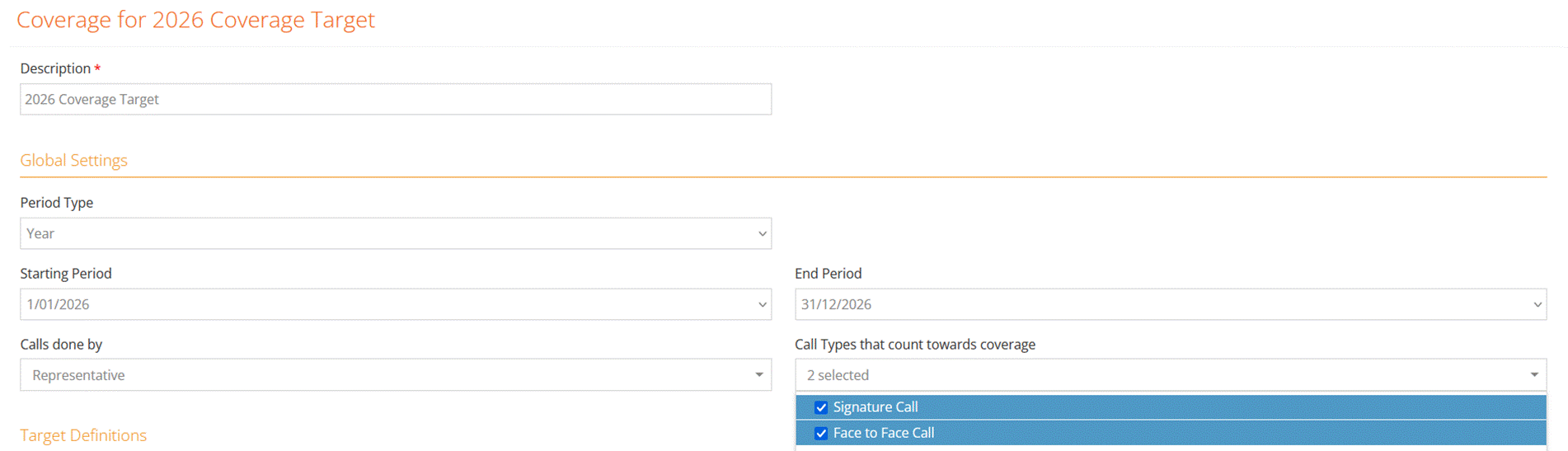
A “Y” would be returned in the column “01/02/2025 IF:
- There is a complete call
- The Call Type is “Signature Call” or “Face To Face Call” (“Call Types that count towards coverage”)
- The Call is done a User of the User Type = “Representative” (“Calls done by)
- The call is between 01/01/2025 and 28/01/2025
Actual (Column)

This returns a count of Y values for all Coverage Target Sections for the account
Target (Column)

This returns a count of “bucket” values for the Coverage Target Section
Coverage (Column)

This is a calculation. The calculation is: Actual / Target (shown as a % to 1 decimal place)
Actual (Row)

This returns a count of Y values for all the “bucket” for all accounts
Targets (Row)

This returns a count of all accounts within the “bucket”
Coverage (Row)

This is a calculation. The calculation is: Actual (row) / Target( row) (shown as a % to 1 decimal place)